

Blog Details
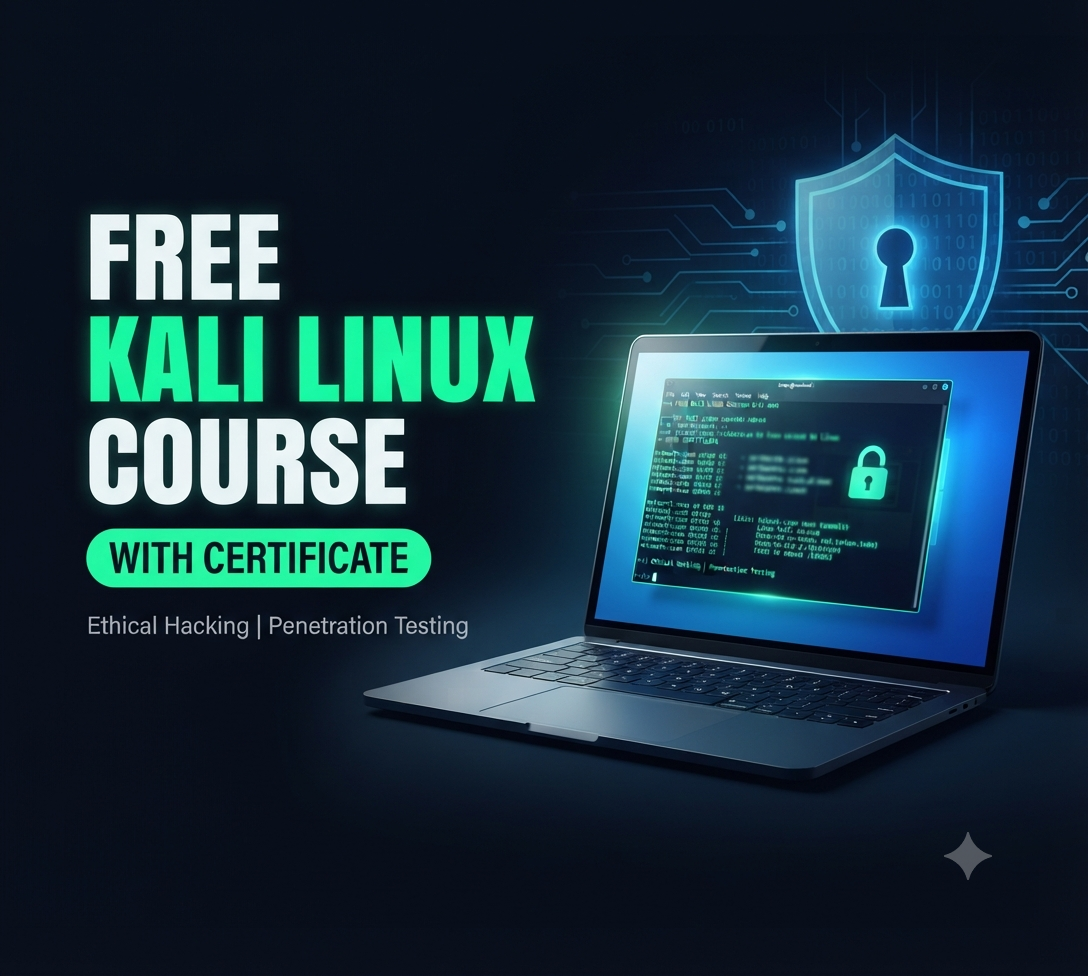
Free Kali Linux Course with Certification: The Complete Beginner-to-Pro Guide
Watch the Full Kali Linux Video Playlist
Prefer to learn by watching? The complete Kali Linux video series is available on YouTube. You can follow every lesson, pause, replicate each step in your own lab, and revisit the lessons whenever you need a refresher.
Watch the Free Kali Linux Course Playlist on YouTube
Bookmark the playlist, subscribe to the channel, and read this guide alongside the videos for the best results. This article explains what the course covers, who it is for, how to get your certificate, and how to turn your new skills into a cybersecurity career.
Introduction: Why Learning Kali Linux Is One of the Smartest Career Moves Today
Cybercrime is no longer a problem that only large corporations worry about. Small businesses, hospitals, schools, banks, government agencies and individuals are all targets. Every year, attacks grow more sophisticated, and the demand for professionals who can find weaknesses before criminals do keeps rising. Organizations need people who understand how attackers think, and they need them urgently.
That is where Kali Linux comes in. Kali Linux is the most widely recognized operating system for penetration testing, ethical hacking, digital forensics and security research. It ships with hundreds of pre-installed tools, which saves you the effort of finding, installing and configuring each one yourself. Whether you want to become a penetration tester, a security analyst, a network security engineer or a systems administrator who understands security properly, Kali Linux is a skill worth learning.
The challenge for most beginners is knowing where to start. The internet is full of scattered tutorials, outdated commands and tools explained without context. Many learners also assume that quality cybersecurity training must be expensive. It does not have to be.
This free Kali Linux course with certification is designed to remove those barriers. It walks you from the very basics, such as what Kali Linux is and how to install it, up to real penetration testing techniques, vulnerability assessment and system security. You also get a certificate on completion, which helps you prove your knowledge to employers, clients and colleagues.
In this guide you will learn:
- What Kali Linux is and why security professionals rely on it
- The exact skills you will gain from the free course
- Who should enroll, and who benefits the most
- The full list of topics covered, from installation to Kali NetHunter
- The benefits of completing the course and earning the certificate
- A practical, step-by-step plan to build a career after the course
- Answers to the most common questions about the course
Let us start with the foundation.
What Is Kali Linux?
Kali Linux is a free, open-source, Debian-based Linux distribution built specifically for security testing and digital forensics. It is developed and maintained by OffSec (formerly Offensive Security) and is the successor to the well-known BackTrack Linux. It is regularly updated, and it comes with more than 600 tools for tasks such as:
- Information gathering (reconnaissance of networks, domains and services)
- Vulnerability analysis (finding known weaknesses in systems and applications)
- Web application testing (SQL injection, cross-site scripting, authentication flaws)
- Password attacks (testing the strength of credentials)
- Wireless testing (assessing Wi-Fi security)
- Exploitation frameworks (safely demonstrating that a weakness is real)
- Sniffing and spoofing (analyzing network traffic in controlled environments)
- Digital forensics and reverse engineering
Some of the best-known tools you will meet along the way include Nmap for network scanning, Wireshark for packet analysis, Metasploit Framework for exploitation, Burp Suite for web application testing, John the Ripper and Hashcat for password auditing, Aircrack-ng for wireless assessment, and Nikto for web server scanning.
Why Do Professionals Choose Kali Linux?
There are several reasons Kali Linux has become the default choice in the security community:
- Everything in one place. Instead of hunting down tools individually, you get a ready-made toolkit.
- Free and open source. Anyone can download it, inspect it and learn from it at no cost.
- Flexible installation. You can run it on a physical machine, inside a virtual machine, from a USB drive, in the cloud, on a Raspberry Pi, or even on a mobile device through Kali NetHunter.
- Active community and documentation. If you get stuck, there is almost always a forum thread, guide or video that helps.
- Industry recognition. Job descriptions for penetration testers and security analysts routinely mention Kali Linux.
A Quick Note on Ethics and Legality
Kali Linux is a powerful toolkit, and with that power comes responsibility. Everything you learn in this course must only be used on systems you own or have explicit written permission to test. Testing systems without authorization is illegal in most countries and can lead to serious penalties. Ethical hackers work within legal boundaries, follow agreed scopes, document their findings and help organizations fix problems. Throughout the course, you will practice inside safe lab environments that you control.
Free Kali Linux Course with Certification: Overview
This course is an introduction to Kali Linux basics that grows into practical security skills. It is built for people who want structured, easy-to-follow learning rather than a random collection of commands. You start with the operating system itself, move to installation and configuration, learn the Linux commands you will use every day, and then apply everything in penetration testing and vulnerability assessment exercises.
Here is a quick snapshot:
- Course name: Free Kali Linux Course with Certification
- Level: Beginner-friendly, with a path toward intermediate security skills
- Cost: Free
- Format: Self-paced video lessons (available on YouTube) plus hands-on practice
- Outcome: Certificate of completion, practical lab skills and a clear career roadmap
- Focus areas: Linux OS, Kali installation, Linux commands, penetration testing, vulnerability assessment, system security, Kali NetHunter
Because the course is self-paced, you decide when and where you study. Many learners finish a lesson or two in the evening, then practice the same steps the next day to lock in the knowledge.
What topics does the Kali Linux course cover?
💻 MODULE 1 — GETTING STARTED WITH KALI LINUX
1. Why Use Kali Linux? Kali vs Ubuntu for Ethical Hacking
https://www.youtube.com/watch?v=vItgAHdJ2x8
2. Linux Is NOT Unix? Unix vs Linux Explained for Beginners
https://www.youtube.com/watch?v=vu_88fi41Ic
3. How to Download Kali Linux Safely (Avoid Fake ISOs)
https://www.youtube.com/watch?v=j-O6TM0ZJ_M
4. How to Install VirtualBox (Windows, Mac, Linux) + Best Settings
https://www.youtube.com/watch?v=eaO-bY_8ShU
🐧 MODULE 2 — LINUX FUNDAMENTALS FOR ETHICAL HACKERS
5. Linux Terminal for Beginners: Don't Be Afraid of It
https://www.youtube.com/watch?v=eQdOi9Uy7fQ
6. 22 Essential Linux Commands for Beginners (Kali Linux)
https://www.youtube.com/watch?v=65OxGc4ML88
7. Linux ls Command Explained: ls -l, ls -a, ls -lh (Beginners)
https://www.youtube.com/watch?v=HESJ5fGGXaU
8. Linux cd Command Explained: cd .., cd ~, cd - (Beginners)
https://www.youtube.com/watch?v=hHhNXrtmMXw
9. Linux rm Command: How to Delete Files Safely (rm -rf Explained)
https://www.youtube.com/watch?v=XqMQ-0Ac4KQ
10. Linux cp Command: How to Copy Files and Folders (cp -r Explained)
https://www.youtube.com/watch?v=2H7RJarIEz0
11. How to Find Files in Linux Fast: locate, find, updatedb
https://www.youtube.com/watch?v=w4DLetDLEbQ
12. Linux sort Command Explained: sort -n, -r, -k, -u (Beginners)
https://www.youtube.com/watch?v=SbitksHGNTw
13. How to Zip and Unzip Files in Linux (zip -r, unzip -d)
https://www.youtube.com/watch?v=rS3XcxS8OX4
14. Linux history Command: View, Reuse and Clear (+ whereis)
https://www.youtube.com/watch?v=p3g_HEZIoQg
15. How to Create a User in Linux: adduser, passwd, su Explained
https://www.youtube.com/watch?v=RG2tk_CjAvg
16. chmod Explained: Linux File Permissions (755, 777, +x)
https://www.youtube.com/watch?v=_AEq-fLBN_Q
17. chmod u+x, g-w, o=r Explained: Symbolic Permissions in Linux
https://www.youtube.com/watch?v=YXyQa6XBP-g
18. Permission Denied in Linux? How to Fix File & Folder Permissions
https://www.youtube.com/watch?v=zwvF5yFNEcQ
19. Linux Terminal Shortcuts: Ctrl+R, Ctrl+C, Tab and More (Beginners)
https://www.youtube.com/watch?v=YYY8cSohOvY
🌐 MODULE 3 — NETWORKING, ANONYMITY & TRAFFIC ROUTING
20. Is Kali Linux Anonymous? Tor vs VPN vs Proxy Explained
https://www.youtube.com/watch?v=1Ae1TCmry1w
21. Proxy Server Explained: How It Hides Your IP (And What It Can't)
https://www.youtube.com/watch?v=5LzgmNjSrJ4
22. AnonSurf on Kali Linux: Route Your Traffic Through Tor (Setup)
https://www.youtube.com/watch?v=J8TvrvYhRV8
23. What Is a VPN? How It Works vs Proxy vs Tor (Beginners)
https://www.youtube.com/watch?v=P-2pcECu1PQ
24. How to Use OpenVPN on Kali Linux (.ovpn Setup, Step by Step)
https://www.youtube.com/watch?v=zVvuqhfmqdg
25. Is the Dark Web Illegal? How Tor Really Works (Beginners)
https://www.youtube.com/watch?v=FIyJYpZCX3s
26. How to Host a .onion Website on Tor (XAMPP + Kali Linux Lab)
https://www.youtube.com/watch?v=XmYzpTdNgd4
27. How Tor Works: Why No One Can See Both Who You Are and Where You Go
https://www.youtube.com/watch?v=XOTSgWn1BgI
28. Proxychains in Kali Linux: Route Any Tool Through Tor (Setup)
https://www.youtube.com/watch?v=WZmyECCsUI8
29. Tor + Proxychains in Kali Linux: Do It Right (Step by Step)
https://www.youtube.com/watch?v=mnnzd1hLSgs
30. Change Your MAC Address in Kali Linux (macchanger Tutorial)
https://www.youtube.com/watch?v=3X9r_SBoBe8
31. Macchanger Commands Explained: Every Option in Kali Linux
https://www.youtube.com/watch?v=lHyh7-Y_rq4
🔎 MODULE 4 — RECONNAISSANCE & NETWORK SCANNING
32. What Is Footprinting? First Step of Ethical Hacking Explained
https://www.youtube.com/watch?v=25nmzEE0-EQ
33. DNS Enumeration in Kali Linux: dig, nslookup & dnsenum
https://www.youtube.com/watch?v=j9-xvVNglAk
34. Dnsenum Tutorial: Find Subdomains Automatically in Kali Linux
https://www.youtube.com/watch?v=RbPKaALMkVw
35. DNSmap Tutorial: Find Subdomains with Wordlists in Kali Linux
https://www.youtube.com/watch?v=goZ5Og_4QqY
36. DNStracer Tutorial: Trace DNS Resolution in Kali Linux
https://www.youtube.com/watch?v=THD5_woIT5w
37. Nmap for Beginners: Check Your Network First (ifconfig, route -n)
https://www.youtube.com/watch?v=pUCnYyi3mUk
38. Nmap Scan Types Explained: -sS vs -sT vs -sU (Kali Linux Lab)
https://www.youtube.com/watch?v=uk3SFjGhjfs
39. Nmap Scans Explained: ACK, FIN, Xmas, -A and NSE (Kali Lab)
https://www.youtube.com/watch?v=uXIrK1nSRcg
40. Searchsploit Tutorial: Find Exploits for Nmap Results (Kali Lab)
https://www.youtube.com/watch?v=ZKRKqxHaXcQ
41. WhatWeb, Whois and Dirb in Kali Linux: Recon a Website (Lab)
https://www.youtube.com/watch?v=KXsgH_AdMtM
42. Nikto Tutorial: Scan a Web Server for Vulnerabilities (Kali Lab)
https://www.youtube.com/watch?v=hDShYE3ItWw
43. Cross-Site Scripting (XSS) for Beginners: How It Works and How to Stop It
https://www.youtube.com/watch?v=bWGfs1CRx0c
44. RedHawk Tutorial: All-in-One Website Recon Tool (Kali Lab)
https://www.youtube.com/watch?v=LLeM61KmYgU
45. Linux Security Audit with Lynis: Find Weak Spots in Your System
https://www.youtube.com/watch?v=kyLK_BoQTj4
46. SQLMap Tutorial: Test SQL Injection in a Safe Lab (DVWA + Kali)
https://www.youtube.com/watch?v=LDEIGs4vxNo
47. jSQL Injection Tutorial (GUI-Based SQL Injection Tool)
https://www.youtube.com/watch?v=DBz53iix1hk
48. sqlsus Tutorial: MySQL Injection & Exploitation Tool
https://www.youtube.com/watch?v=pIQGwyGizmU
🔑 MODULE 6 — PASSWORD ATTACKS & HASH CRACKING
49. What is a Password Attack? Types Explained
https://www.youtube.com/watch?v=TLaYDNJRGfI
50. What is Hashing? Explained for Beginners
https://www.youtube.com/watch?v=19ngb64RHyo
51. Hash-Identifier Tutorial: Find Out What Hash Type You Have
https://www.youtube.com/watch?v=W-nM0Sac7T4
52. Password & Hash Cracking Tutorial (Hands-On)
https://www.youtube.com/watch?v=50QIorx_D8Y
53. CEWL Tutorial: Build Custom Wordlists from Websites
https://www.youtube.com/watch?v=ZgEsEUhymIY
54. Crunch Tutorial: Generate Wordlists with Custom Patterns
https://www.youtube.com/watch?v=f7_vraU60ok
55. How to Crack Passwords Offline Using John the Ripper
https://www.youtube.com/watch?v=_GVkPiGqwAA
56. How to Extract & Crack SAM and Shadow File Hashes
https://www.youtube.com/watch?v=jVNJR0UlaYw
57. How to Crack RAR & ZIP File Passwords
https://www.youtube.com/watch?v=7oOgtGbFIjE
58. THC Hydra Tutorial for Beginners (Online Password Attacks)
https://www.youtube.com/watch?v=X4uoTblwOoo
59. Medusa Tutorial: Online Password Brute Forcing
https://www.youtube.com/watch?v=nJenicTtxxo
📡 MODULE 7 — SNIFFING, SPOOFING & TRAFFIC ANALYSIS
60. What is Sniffing and Spoofing in Ethical Hacking?
https://www.youtube.com/watch?v=Fe-iMEAjFg4
61. How to Use Wireshark for Network Sniffing
https://www.youtube.com/watch?v=zHtmAq79a8U
62. How to Capture Network Packets Using Wireshark (Practical Guide)
https://www.youtube.com/watch?v=gNQjzCrzdEo
63. How Wireshark Captures Packets From Another Machine (Remote Sniffing Explained)
https://www.youtube.com/watch?v=DHz3H-QmRFc
64. What Is a Spoofing Attack? ARP, DNS & IP Spoofing Explained
https://www.youtube.com/watch?v=trrcZ7WopA8
65. DNS Spoofing Attack Explained & Demonstrated
https://www.youtube.com/watch?v=l5SIiQYixms
66. How to Configure Ettercap on Kali Linux (Step-by-Step Setup)
https://www.youtube.com/watch?v=dCalbGP1n9E
📶 MODULE 8 — WIRELESS NETWORK SECURITY
67. WiFi Hacking Basics: Important Terms Explained Before You Start
https://www.youtube.com/watch?v=A918W7YceA0
68. How to Hack WEP WiFi Networks Using Aircrack-ng (Step-by-Step)
https://www.youtube.com/watch?v=wzB3Wo0qYqg
69. How to Crack WPA/WPA2 WiFi Passwords Using Aircrack-ng
https://www.youtube.com/watch?v=3W8kNPdodBY
70. Fern WiFi Cracker Tutorial – GUI-Based WEP/WPA2 Attacks
https://www.youtube.com/watch?v=DLEFrF1MqMg
⚔️ MODULE 9 — EXPLOITATION, HONEYPOTS & ADVANCED TOPICS
71. What Is Metasploit? Beginner's Guide to the Metasploit Framework
https://www.youtube.com/watch?v=A7OY-M808Q4
72. How to Exploit a Buffer Overflow Vulnerability with Metasploit
https://www.youtube.com/watch?v=EI7H-8slvNY
73. Honeypots Explained – How Security Teams Trap Attackers
https://www.youtube.com/watch?v=Osn6y7fB-hQ
74. Pentbox Tutorial – Setting Up a Honeypot with Pentbox
https://www.youtube.com/watch?v=u5Ql6VZbBeY
75. Browser Exploitation Attack Using Metasploit (BeEF Framework Demo)
https://www.youtube.com/watch?v=1i_UAS_4Yho
76. How to Perform an Attack Using BeEF (Hooked Browser Modules Explained)
https://www.youtube.com/watch?v=5YDDl6DDV3M
Kali Linux Skills You Will Learn
The course is organized around six core skill areas. Each one builds on the previous, so by the end you can work with Kali Linux confidently rather than just recognizing tool names.
1. Linux OS Overview
Before you can use Kali Linux well, you need to understand how Linux works. This part of the course covers:
- What an operating system does and how Linux differs from Windows and macOS
- The Linux file system hierarchy (
/etc,/var,/home,/usr,/binand others) - Users, groups and file permissions
- Processes, services and package management
- The role of the kernel, the shell and the desktop environment
This foundation matters because almost every security task involves reading logs, changing permissions, managing services or inspecting processes. Learners who skip the fundamentals often hit a wall later, so this module is worth your full attention.
2. Installing and Configuring Kali Linux
A large part of the learning curve for beginners is simply getting a working lab. You will learn how to:
- Download the correct Kali Linux image and verify its integrity
- Install Kali in a virtual machine using VirtualBox or VMware
- Set up a dual-boot or live USB, where appropriate
- Configure networking modes such as NAT, bridged and host-only
- Update and upgrade your system, and install additional tools
- Take snapshots so you can safely experiment and roll back mistakes
A virtual lab is the safest way to practice. You can break things, repair them, and restore a snapshot in seconds without risking your main computer.
3. Linux Commands
The command line is the heart of Kali Linux. The course teaches the commands you will use constantly, including:
- Navigation and files:
pwd,ls,cd,cp,mv,rm,mkdir,touch - Viewing and searching:
cat,less,head,tail,grep,find,locate - Permissions and ownership:
chmod,chown,sudo - Networking:
ip,ifconfig,ping,netstat,ss,traceroute,curl,wget - Processes and system info:
ps,top,kill,uname,df,free - Package management:
apt update,apt install,apt upgrade - Text processing and pipes:
awk,sed,sort,cut, redirection and chaining commands
Once commands become second nature, you will notice that security tools stop feeling intimidating. Most of them are simply command-line programs that accept options, and you already understand how to combine them.
4. Penetration Testing
Penetration testing, often called pen testing, is the authorized simulation of an attack to find weaknesses before real attackers do. You will learn the structure of a typical engagement:
- Planning and scoping: agreeing on rules, targets and permissions
- Reconnaissance: collecting information about the target
- Scanning and enumeration: discovering hosts, ports, services and versions
- Gaining access: demonstrating how a weakness could be exploited in a controlled lab
- Maintaining access and post-exploitation: understanding impact
- Reporting: documenting findings clearly with remediation advice
The reporting stage is one that many learners underestimate. A penetration test is only valuable if the client understands what was found and knows how to fix it.
5. Vulnerability Assessment
While penetration testing tries to exploit weaknesses, vulnerability assessment focuses on finding and prioritizing them. You will learn how to:
- Run automated vulnerability scans and interpret the results
- Understand CVE identifiers and CVSS severity scores
- Separate real vulnerabilities from false positives
- Prioritize fixes by risk and business impact
- Build a repeatable assessment process
Vulnerability assessment is a valuable skill on its own. Many security analyst and system administrator roles are centered on exactly this work.
6. System Security
Finally, you will look at the defender's side. Understanding attacks makes you much better at defending. Topics include:
- Hardening Linux systems and reducing the attack surface
- Managing users, passwords and authentication
- Firewalls, logging and monitoring
- Patching and update strategy
- Basic incident response thinking
This balance of offense and defense is what makes graduates attractive to employers. You are not only able to find problems, you also understand how to solve them.
Who Should Learn This Free Kali Linux Course?
One of the best things about this course is that you do not need to be an expert to begin. That said, it is particularly valuable for the following groups.
Penetration Testers
If you want to become a penetration tester, Kali Linux is part of your daily toolkit. The course gives you a structured way to learn the tools and the methodology, which will prepare you for more advanced training and professional certifications later.
Network Security Engineers
Network security engineers design and protect network infrastructure. Learning Kali Linux lets you test your own firewalls, segmentation and access controls from an attacker's point of view, so you can find gaps before someone else does.
Security Analysts
Security analysts monitor, detect and respond to threats. Knowing how attacks are carried out helps you recognize the signs in logs and alerts, and makes your investigations faster and more accurate.
Systems Administrators
System administrators keep servers and services running. Adding security testing skills allows you to harden your systems, audit configurations and speak confidently with security teams.
Students, Career Changers and Curious Beginners
You do not need to hold a security job today to benefit. Students exploring cybersecurity, IT professionals moving into security, and self-taught enthusiasts can all use this course as a first step. If you are curious, motivated and willing to practice, you can succeed.
About the Course
The course is designed around clarity and practice. Instead of overwhelming you with theory, each lesson introduces a concept, demonstrates it on screen, and encourages you to repeat it yourself. That approach matches how security skills are actually built: by doing.
Key characteristics of the course:
- Beginner-friendly language. Technical terms are explained when they first appear.
- Logical sequence. Lessons follow a path from operating system fundamentals to applied security testing.
- Practical demonstrations. You see real commands and tools running, not just slides.
- Free access. You can start immediately without payment barriers.
- Certification. Completing the course earns a certificate that recognizes your effort.
A good way to use the video playlist is to watch each lesson once without touching your keyboard, then watch it again while following along in your own Kali Linux virtual machine. This two-pass method improves retention dramatically.
Topics Covered in the Course
The curriculum is organized around four major topics. Together they cover the essentials every beginner needs.
What Is Kali Linux?
This opening topic introduces the operating system, its history, its purpose and its place in the cybersecurity ecosystem. You will understand how Kali differs from general-purpose Linux distributions such as Ubuntu or Fedora, why it is used by professionals, and how its tool categories are organized. You will also learn the ethical and legal expectations that come with using it. By the end, you will be comfortable with the terminology that appears throughout the rest of the course.
Kali Linux Installation
Here you set up your own working lab. The lessons walk through downloading Kali, choosing between installation methods, creating a virtual machine, configuring memory, storage and networking, and completing first-time setup. You will also learn good habits such as updating packages, creating a non-root user, and taking snapshots. A properly built lab is the base for everything that follows, so take your time and make sure it works before moving on.
Penetration Testing Using Kali Linux
This is the hands-on core of the course. You will move through the phases of a test, using Kali tools for reconnaissance, scanning, enumeration, vulnerability analysis and controlled exploitation in a safe environment. You will learn how to choose the right tool for each task, interpret its output, and connect findings into a meaningful story. You will also practice thinking like an ethical hacker: curious, methodical and always within scope.
Kali NetHunter
Kali NetHunter is the mobile penetration testing platform built on top of Kali Linux for Android devices. It brings many of the familiar tools to a phone or tablet, supporting tasks such as wireless assessments and HID keyboard attacks in authorized testing scenarios. In this topic you will learn what NetHunter is, how it differs from desktop Kali, what devices it supports, and where it fits into a professional toolkit. Understanding NetHunter shows you how portable and flexible modern security testing can be.
Benefits of Completing the Course
Finishing a course is satisfying, but finishing one that moves your career forward is even better. Here is what you gain.
Certification in Kali Linux
On completion you receive a certificate that documents your achievement. You can add it to your resume, attach it to your LinkedIn profile, and share it with potential employers. While a certificate of completion is not a replacement for advanced professional exams, it is solid evidence of initiative and foundational knowledge, which is exactly what recruiters look for in entry-level candidates.
Advanced Cybersecurity Skills
The course goes beyond surface-level tool tours. You gain skills in Linux administration, network scanning, vulnerability analysis and security hardening. These skills are transferable across many roles, not just one job title.
Career Opportunities
Skills in Kali Linux and penetration testing open doors to roles such as:
- Junior Penetration Tester
- Ethical Hacker
- Cybersecurity Analyst
- SOC Analyst
- Vulnerability Analyst
- Network Security Engineer
- Security-focused Systems Administrator
Cybersecurity continues to face a global talent shortage, so people with practical, demonstrable skills are in demand across industries.
Real-World Experience
Because lessons are built around practical demonstrations, you build muscle memory with real tools. You learn to troubleshoot errors, read documentation and adapt when something does not work the first time, which is the daily reality of security work.
Expert Guidance
The course is delivered with structured guidance so that you are not left guessing. Each lesson explains why a step is performed, not only how. That context is what separates someone who copies commands from someone who truly understands what is happening.
How to Build a Career After Completing the Course
A certificate opens the door, but your actions after the course decide how far you go. Follow this five-step plan to turn learning into a real career.
1. Get Hands-On
Theory fades quickly; practice sticks. After finishing the lessons, keep building your skills in safe, legal environments:
- Build a home lab. Run Kali Linux alongside intentionally vulnerable machines such as Metasploitable, DVWA (Damn Vulnerable Web Application) and OWASP Juice Shop. These are designed for practice and carry no legal risk.
- Try beginner-friendly platforms. Browser-based labs and capture-the-flag (CTF) platforms such as TryHackMe, Hack The Box and PicoCTF offer guided challenges at every level.
- Repeat and vary. Run the same scan against different targets, change the options, break something and fix it. Curiosity is your best teacher.
- Set weekly goals. For example, "this week I will complete two rooms and write notes on each."
2. Deepen Your Skills
Kali Linux is a platform, and the real skill lies in the knowledge behind the tools. Strengthen the following areas:
- Networking fundamentals: TCP/IP, DNS, HTTP/HTTPS, subnets, routing and common protocols.
- Scripting: Bash and Python let you automate repetitive tasks and build your own small tools.
- Web application security: Study the OWASP Top 10 and practice finding and fixing those issues.
- Cloud and operating system security: Learn the basics of AWS, Azure or Google Cloud security, plus Windows and Active Directory concepts.
- Defensive skills: Logging, monitoring, SIEM basics and incident response make you a more complete professional.
Once your fundamentals are strong, consider recognized certifications such as CompTIA Security+, CompTIA PenTest+, eJPT, CEH or OSCP, depending on your goals and budget. Pick based on the job roles you want, and check each certification's current requirements on the official provider's website.
3. Showcase Your Work
Employers want proof that you can do the job. Make your learning visible:
- Write a blog or notes. Document every lab you complete: what you tried, what worked, what failed and what you learned. Writing clarifies your thinking and demonstrates communication skills.
- Publish scripts and tools on GitHub. Even small Bash or Python utilities show initiative.
- Create sample reports. Write a professional-looking penetration test report for a practice machine. Reporting is one of the most valued, and most underdeveloped, skills in the field.
- Update your LinkedIn and resume. Add the certificate, list the tools and techniques you have practiced, and link to your projects.
- Make videos. Walking through a lab on camera strengthens your understanding and builds an audience.
4. Connect with Experts
Cybersecurity is a community-driven field. You will learn faster, and hear about opportunities sooner, if you connect with others:
- Join Discord servers, Reddit communities and LinkedIn groups focused on ethical hacking.
- Attend local security meetups, BSides conferences and online webinars.
- Follow respected researchers and read their write-ups.
- Ask thoughtful questions: show what you have already tried, and people will gladly help.
- Consider bug bounty programs once your skills grow, always following each program's rules and scope.
5. Keep Learning
Technology and threats change constantly, so the best professionals never stop studying. Build a simple routine:
- Follow security news and vulnerability disclosures each week.
- Read the documentation for the tools you use.
- Revisit the course lessons to refresh weaker areas.
- Take on one new topic every month, such as wireless security, privacy, digital forensics or malware analysis.
A Suggested 30-Day Study Plan
If you like structure, use this simple plan alongside the video playlist.
Week 1: Foundations. Watch the introduction and Linux OS lessons. Practice the file system and basic commands daily for at least 30 minutes. Goal: navigate Linux comfortably without a mouse.
Week 2: Build your lab. Download Kali Linux, install it in a virtual machine, configure networking, update packages and take a snapshot. Add a vulnerable practice machine. Goal: a stable, working lab you can safely break and restore.
Week 3: Scanning and assessment. Learn network scanning and enumeration, then run vulnerability scans against your practice machines. Record findings in a simple table with severity and recommended fixes. Goal: produce a short vulnerability assessment.
Week 4: Penetration testing and review. Follow the full pen-testing workflow against a lab target, explore Kali NetHunter concepts, then write a one-page report. Complete the course and claim your certificate. Goal: a finished mini-project you can show to others.
Adjust the pace to your schedule. Consistency matters more than speed.
Common Mistakes Beginners Make (and How to Avoid Them)
- Jumping into tools before learning Linux. Learn the command line first. Everything else becomes easier.
- Running Kali as the daily operating system on a main machine. Use a virtual machine for practice, and keep your personal data separate.
- Copying commands without understanding them. Always ask what each option does. Read the manual pages with
manor the--helpflag. - Testing without permission. Only test systems you own or are explicitly authorized to assess. This is the most important rule in the field.
- Ignoring documentation and reporting. Notes and clear reports are as valuable as technical skill.
- Giving up after the first error. Errors are part of the process. Read the message, search for it, and try again.
- Learning alone forever. Join a community, share progress and ask for feedback.
Why Choose This Free Kali Linux Course?
There are plenty of tutorials online, so it is fair to ask what makes this course worth your time.
- Free and accessible. There is no payment wall between you and a structured learning path.
- Complete journey. It covers installation, Linux commands, penetration testing, vulnerability assessment and system security rather than one isolated topic.
- Video-first learning. The YouTube playlist lets you watch at your own pace, rewind and follow along in real time.
- Certificate included. You receive recognition for the effort you invest.
- Practical orientation. The lessons emphasize what you can do after watching, not only what you can recall.
- Clear next steps. The course points you toward further study and career options.
Watch the full series here: Free Kali Linux Course Playlist on YouTube
Frequently Asked Questions (FAQs)
What is Kali Linux, and what will I learn in this free course?
Kali Linux is a Debian-based, open-source operating system built for penetration testing, ethical hacking and digital forensics. In this free course you will learn the basics of Linux, how to install and configure Kali, the essential Linux commands, how penetration testing works, how to run vulnerability assessments, and how to improve system security. You will also be introduced to Kali NetHunter, the mobile version of Kali for Android devices.
Who can benefit from taking a free Kali Linux course?
The course is useful for aspiring and current penetration testers, network security engineers, security analysts and systems administrators. Students, IT support staff, developers and career changers who want to enter cybersecurity can benefit as well. Anyone curious about how systems are tested and protected can learn something valuable.
Do I need any special software or equipment to participate in this course?
No expensive equipment is required. A reasonably modern computer with an internet connection is enough. For the best experience, use a machine with at least 8 GB of RAM and 40 GB or more of free storage so you can run Kali Linux in a virtual machine. Free virtualization software such as VirtualBox is commonly used, and Kali Linux itself is free to download.
Is prior experience in Linux required to start this free course?
No. The course begins with a Linux overview and builds up gradually, so complete beginners can follow along. Some basic computer knowledge and a willingness to practice will help. If you already know Linux, you can move faster through the early lessons and focus on penetration testing and assessment.
Is there a certificate provided upon completion of the course?
Yes. This is a free Kali Linux course with certification, so you receive a certificate after completing the course requirements. You can add it to your resume and LinkedIn profile to show your commitment to learning cybersecurity fundamentals.
Can this free Kali Linux course help me with career advancement?
Yes, as a starting point. The course helps you build practical skills in Linux, penetration testing, vulnerability assessment and system security, which are relevant to many cybersecurity roles. To advance further, combine it with hands-on lab practice, a portfolio of projects, networking and, over time, industry certifications. No course alone guarantees a job, but strong skills and proof of your work improve your chances considerably.
Are there any age restrictions for enrolling in the free Kali Linux course?
The video lessons are openly available, so learners of many ages can watch and study. Younger learners should have a parent or guardian's guidance, practice only in their own isolated lab, and understand that testing other people's systems without permission is illegal. If you plan to take professional exams later, check the age requirements of each certification provider.
What makes this free Kali Linux course different from others?
Many free resources teach isolated tricks or tool lists. This course follows a complete, logical path from fundamentals to applied testing, delivered through a video playlist you can follow at your own pace, and it concludes with a certificate and a career roadmap. It also emphasizes ethics, safe lab practice and defensive thinking alongside offensive techniques.
What advanced Cyber Security programs can I take after completing this free course?
After this course you can move on to intermediate and advanced learning such as a full ethical hacking or penetration testing program, a cybersecurity or network security specialization, web application security training, cloud security, digital forensics and incident response, or SOC analyst training. Certifications such as CompTIA Security+, CompTIA PenTest+, eJPT, CEH and OSCP are popular next steps. Choose the path that matches your target job role.
Conclusion: Start Your Kali Linux Journey Today
Cybersecurity rewards people who are curious, persistent and ethical. Kali Linux gives you the tools, and this free course gives you the roadmap: understand Linux, build your lab, master the commands, learn how penetration testing and vulnerability assessment work, and finish with a certificate that shows your effort.
The best time to begin is now. Open the playlist, install Kali in a virtual machine, and complete your first lesson today. Then keep going, one lab, one command and one lesson at a time. In a few weeks you will be doing things you thought were out of reach.
Ready to start? Watch the Free Kali Linux Course with Certification on YouTube, subscribe to the channel so you never miss a new lesson, and share this guide with a friend who wants to learn cybersecurity.

Recent Blogs






 in India Structure, Role, and Opportunities for Stakeholders.jpg)